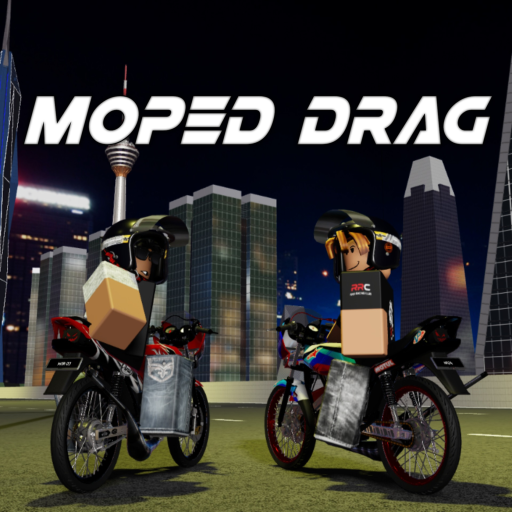
Moped Drag Gamepasses: Carry-Over Facts & Buyer Checks Guide
Read this moped drag gamepasses guide for the confirmed re-upload carry-over rule, the details still unverified, and a careful purchase checklist.
Evidence note: The accepted archive does not support a complete current answer for this topic. This page keeps those gaps visible and uses a live verification workflow instead.
Evidence note: this Moped Drag gamepasses page can verify one important promise and no more. The official re-upload notice says existing gamepasses are not lost and carry over automatically. The accepted archives do not publish a dependable list of pass names, prices, or individual benefits. This guide therefore explains how to verify ownership and avoid purchasing from assumptions rather than pretending to be a storefront catalog.
Check the official Roblox experience before relying on update-sensitive details.
The following player-made video is useful visual context; it is not an official specification and does not override the verified facts above.
Understand the carry-over promise
The official wording addresses continuity after the re-upload: gamepasses are not lost and should carry over automatically. That is different from saying every old data field, motorcycle, or balance persists. It also does not identify what each pass does. Use the statement to set the expected ownership state, then confirm the actual pass in the current Roblox and in-game interfaces.
Check ownership before buying again
Open the official experience Store area or the current Roblox purchase surface, identify the exact pass, and look for an owned state. Then join the game and check whether its associated interface or access appears. If the pass is already owned, do not repurchase through a lookalike link. Save screenshots that omit sensitive account information if a discrepancy needs to be documented.
| Check | Evidence to use | Safe next step |
|---|---|---|
| Ownership | Official Roblox owned state | Do not repurchase if owned |
| Carry-over | Official re-upload notice | Expect automatic continuity |
| Benefit | Current live description | Evaluate only published wording |
| Price | Current purchase surface | Enter the live value in your budget |
| Problem | Store state plus in-game result | Use official support paths |
Evaluate a pass with live information
Read the current name, benefit wording, and price at the moment of purchase. Ask what specific task the pass changes and whether that benefit is visible in the current build. Do not use a price from an old article, a video, or another game. If the description is unclear, delay the purchase; a blank recommendation is safer than an invented value judgment.
Use this quick review list:
- Verify ownership first.
- Read live price and benefit wording.
- Do not infer a full pass catalog.
- Keep credentials and payment data private.
Resolve a missing entitlement safely
Reconnect once, confirm the same Roblox account owns the pass, and compare the official Store state with the in-game result. Use only official Roblox support or creator-owned channels for a real entitlement problem. Never send passwords, cookies, recovery codes, or payment details to a guide site or an individual who claims to restore a pass manually.
Use a small verification loop whenever the interface changes. For this page, that means verifying entitlement continuity before making a purchase decision. Begin with the verified action or statement, repeat the check under the same conditions, and note any change in the current interface. Do not convert the current pass catalog, prices, and detailed benefits into a fixed recommendation. When two observations disagree, prefer the current official page and live client, preserve the date of the check, and describe the uncertainty plainly. This approach keeps the guide useful through beta changes while protecting players from spending or troubleshooting on an invented premise.
Frequently asked questions
Did gamepasses survive the Moped Drag re-upload?
The official description says gamepasses are not lost and carry over automatically.
What gamepasses are currently for sale?
The accepted evidence does not provide a reliable current list. Use the official experience Store surface.
Should I buy a pass again if it looks missing?
No. Confirm official ownership and reconnect first, then use official support paths if the entitlement still does not appear.